If you're working from home, you've probably figured out that the kitchen table doesn't cut it long-term. You need a real workspace. Something with a door you can close, decent lighting, and enough separation from the rest of the house that you can actually focus.
Whether you're converting a spare bedroom, finishing part of your basement, or building something new, the same design basics apply. Here's what we've learned from building home offices for folks around Spokane.
Location Considerations
Dedicated Rooms
A separate room offers distinct advantages:
- Privacy - Close the door for focused work and video calls
- Boundaries - Physical separation between work and home life
- Personalization - Design entirely around work needs
- Tax Benefits - May qualify for home office deductions
Converted Spaces
When dedicated rooms aren't available, consider:
- Basement Offices - Naturally quiet with consistent temperatures
- Attic Conversions - Separate from main living areas
- Garage Conversions - Easy to isolate from household activity
- Bedroom Alcoves - Defined work zones within larger rooms
Shared Spaces
Some offices must share space with other functions:
- Guest Room/Office - Murphy beds or sleeper sofas preserve both functions
- Living Room Niches - Built-in desk areas that close off when not in use
- Closet Offices - Small but efficient work stations in converted closets
Essential Design Elements
Lighting
Good lighting prevents eye strain and supports productivity:
Natural Light - Position desks to benefit from windows without screen glare. North-facing windows provide consistent, glare-free light.
Task Lighting - Adjustable desk lamps illuminate work surfaces without creating shadows.
Ambient Lighting - Overhead fixtures provide general illumination. Avoid harsh fluorescent lighting.
Video Call Lighting - Front-facing light sources prevent shadowed faces during calls.
Ergonomics
Your office should support physical comfort:
- Chair Height - Feet flat on floor, thighs parallel to ground
- Desk Height - Elbows at 90 degrees when typing
- Monitor Position - Top of screen at eye level, arm's length away
- Keyboard and Mouse - Wrists neutral, not bent up or down
Invest in a quality ergonomic chair. You'll spend thousands of hours in it.
Storage
Organized storage keeps workspaces functional:
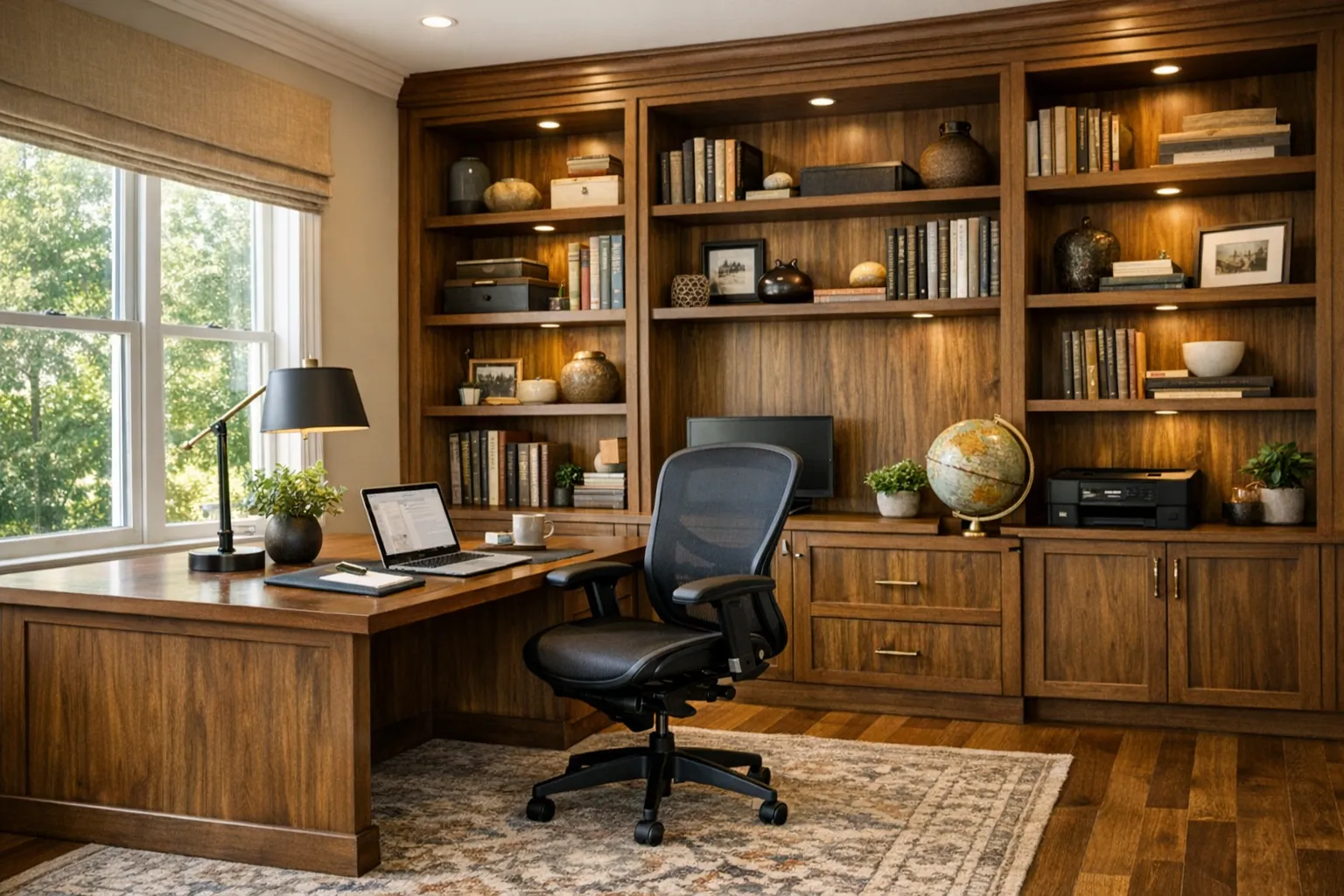
- Built-In Shelving - Books, references, and display items
- Filing Systems - Physical documents you must retain
- Drawer Storage - Supplies, stationery, and small items
- Hidden Storage - Cabinets that conceal clutter
Plan storage for your actual needs. Some work requires extensive filing; other work is entirely digital.
Technology Integration
Modern offices need robust technology support:
- Electrical - Adequate outlets at desk height for easy access
- Data - Hardwired ethernet for reliable connectivity
- Cable Management - Built-in channels and grommets hide wires
- Charging Stations - Integrated device charging
- Video Conferencing - Camera-ready backgrounds and good acoustics
Acoustic Considerations
Sound Isolation
Prevent household noise from disrupting work:
- Solid Doors - Replace hollow-core doors with solid options
- Weather Stripping - Seal gaps around doors
- Soft Surfaces - Rugs, curtains, and upholstery absorb sound
- White Noise - Masks distracting sounds
Sound Absorption
Improve call quality and reduce echo:
- Acoustic Panels - Wall-mounted panels absorb sound
- Bookshelves - Filled shelves break up sound waves
- Soft Furnishings - Upholstered furniture and rugs help
Climate Control
Home offices need comfortable temperatures:
- Zone Control - Independent temperature control for office spaces
- Supplemental Heating/Cooling - Mini-splits or portable units for converted spaces
- Ceiling Fans - Air circulation improves comfort
Basements and attics may need additional insulation for year-round comfort.
Design Aesthetics
Your office should inspire and motivate:
Professional Backgrounds
For video calls, create an intentional background:
- Bookshelves with tasteful items
- Art or plants that don't distract
- Neutral colors that photograph well
- Good depth behind your seating position
Personal Touches
Make the space yours:
- Art that inspires you
- Plants that add life
- Family photos in appropriate contexts
- Awards or achievements on display
Integration with Home
The office should feel like part of your home:
- Consistent trim and molding styles
- Coordinated color palettes
- Quality finishes matching the rest of the house
- Thoughtful transitions between spaces
Space Planning
Single-Person Offices
Minimum comfortable size: 100-150 square feet
Include space for:
- Desk and chair
- Guest seating (optional)
- Storage
- Movement
Two-Person Offices
Couples working from home need thoughtful planning:
- Separate desk areas facing away from each other
- Sound absorption between work zones
- Adequate space for both to move comfortably
- Shared resources (printer, supplies) centrally located
Final Thoughts
A well-designed home office supports your work while maintaining quality of life at home. The investment in proper design pays dividends in productivity, comfort, and work-life balance.
Whether you need a simple desk area or a full office build-out, thoughtful planning creates a space where great work happens.